
About Us
Outsource Marketer helps Houston businesses grow through strategic digital marketing. We specialize in SEO, Google Ads, Meta Ads, social media, website development, and email marketing, building tailored campaigns that attract qualified leads, improve online visibility, and deliver measurable business results.
Why Are Your Google Ads Bringing Unqualified Leads? A Houston Service Business Guide
Why Are Your Google Ads Bringing Unqualified Leads? A Houston Service Business Guide
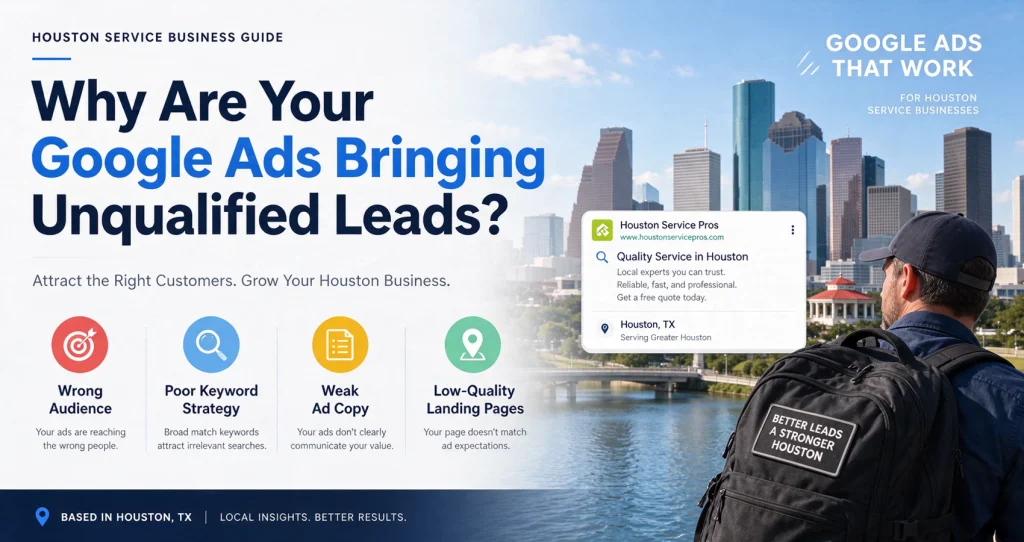
Are your Google Ads campaigns generating phone calls and form submissions, but very few people actually become customers?
You’re not alone. Many Houston service businesses invest hundreds or thousands of dollars in Google Ads every month, only to receive irrelevant inquiries, spam submissions, price shoppers, or calls from people outside their service areas.
At first glance, your campaign might look successful. Clicks are coming in, conversion numbers are increasing, and your advertising budget is being spent. However, if those leads aren’t interested in your services or ready to hire your business, your advertising investment isn’t delivering the results you need.
The problem isn’t always your advertising budget. It could be poor keyword targeting, incorrect location settings, weak landing pages, inaccurate conversion tracking, or a lack of lead qualification.
In this guide, we’ll explain why Google Ads campaigns generate unqualified leads, how Houston businesses can identify the underlying problems, and what practical steps can improve lead quality and generate more valuable customer inquiries.
1. You’re Targeting the Wrong Keywords
One of the most common reasons businesses receive unqualified Google Ads leads is poor keyword selection.
Not everyone searching for a service is ready to purchase it. Some people are researching, looking for free information, comparing prices, searching for employment, or trying to learn how to complete a job themselves.
For example, a Houston plumbing company targeting broad keywords such as “plumbing,” “plumbing information,” or “plumbing jobs” may attract visitors who have no intention of hiring a plumber.
Instead, businesses should focus on keywords that demonstrate commercial intent.
Examples of better keyword targeting:
- Emergency plumber in Houston
- Residential plumbing repair Houston
- Commercial HVAC repair near me
- 24-hour AC repair Houston
- Professional electrical contractor Houston
These searches provide stronger indications that someone is actively looking for a service provider.
How to fix it:
Review your Google Ads Search Terms Report regularly. Identify searches that generate irrelevant traffic and add appropriate negative keywords.
Depending on your business, negative keywords might include:
- Jobs
- Careers
- Salary
- Free
- DIY
- Training
- Course
- Definition
- Tutorial
Don’t automatically exclude every broad term. Evaluate actual search intent before adding negative keywords.
Google’s search terms reporting and negative keyword tools help advertisers refine targeting and reduce irrelevant traffic.
Internal link: Explore our Google Ads management services to improve keyword targeting and campaign performance.
2. Your Location Targeting Is Too Broad
For local service businesses, geographic targeting has a direct impact on lead quality.
Imagine a Houston-based roofing contractor that only serves Houston and surrounding communities. If its Google Ads campaign targets all of Texas or the entire United States, the business may receive inquiries from customers it cannot serve.
Those clicks consume advertising budget without creating realistic sales opportunities.
Even targeting Houston alone may not be sufficient if the business only operates in specific neighborhoods or within a defined service radius.
How to fix it:
Review your campaign’s location settings and:
- Target the cities, ZIP codes, or areas your business actually serves.
- Exclude locations outside your service territory.
- Review geographic performance reports.
- Check the location options that determine whether ads reach people physically present in or interested in your targeted areas.
- Create separate campaigns when different service areas require different budgets or messaging.
For Houston service businesses, precise geographic targeting can help reduce irrelevant inquiries and improve the relevance of incoming leads.
3. Your Ads Are Attracting the Wrong Audience
Sometimes the problem isn’t your keywords or location targeting. It’s the message in your advertisements.
Your ad copy determines what potential customers expect before clicking.
For example, suppose your company provides premium commercial HVAC installation, but your advertisement emphasizes the cheapest prices.
You may attract customers who are primarily interested in finding the lowest possible quote rather than hiring an experienced commercial contractor.
Similarly, an advertisement promoting free estimates could generate inquiries from people who are only comparing prices.
How to fix it:
Write advertisements that clearly communicate:
- The specific services you provide.
- Your ideal customer type.
- The areas you serve.
- Whether you handle residential or commercial projects.
- Your service availability.
- Your key business differentiators.
For example, instead of using a generic headline such as “Best HVAC Services,” consider:
“Commercial HVAC Repair in Houston”
“Experienced HVAC Technicians”
“Schedule Professional HVAC Service”
Your ad copy should set accurate expectations and encourage inquiries from customers who genuinely need your services.
4. Your Landing Page Isn’t Converting the Right Visitors
Getting someone to click your advertisement is only the first step. Your landing page must convince that visitor to contact your business.
A poorly designed landing page can attract traffic but fail to generate qualified inquiries.
Common problems include:
- Generic website content that doesn’t match the advertisement.
- Unclear service descriptions.
- Missing pricing information or service details.
- Weak calls to action.
- Slow mobile page performance.
- Complicated contact forms.
- Missing trust signals and customer reviews.
- No clear indication of service locations.
For example, someone searching for emergency commercial plumbing repair in Houston should land on a page that specifically discusses that service, not a generic homepage covering every plumbing service.
How to fix it:
Create service-specific landing pages that align with your targeted keywords and advertisements.
Include clear service descriptions, relevant benefits, service locations, customer testimonials, and prominent contact options.
Make it easy for visitors to call your business or submit an inquiry without unnecessary steps.
Explore our digital marketing services to understand how advertising and website optimization can work together.
5. Your Conversion Tracking Is Measuring the Wrong Actions
This is one of the most important reasons Google Ads campaigns can appear successful while generating poor business results.
Imagine your campaign reports 50 conversions in a month. However, after reviewing your records, you discover that only five inquiries were genuinely interested in your services.
What happened?
Your conversion tracking may be counting actions that don’t represent meaningful business opportunities.
Examples include:
- Every website visit being counted as a conversion.
- Button clicks being counted as completed inquiries.
- Duplicate form submissions.
- Accidental phone-number clicks.
- Calls that are too short to qualify as meaningful inquiries.
- Spam form submissions.
When Google Ads receives inaccurate conversion signals, automated bidding strategies may optimize toward actions that don’t reflect actual business value.
How to fix it:
Audit your conversion tracking setup.
Check whether your primary conversion actions represent genuine leads rather than simple website interactions.
Consider tracking:
- Successfully submitted contact forms.
- Meaningful phone calls.
- Qualified leads.
- Booked appointments.
- Completed sales.
Where appropriate, connect your CRM or lead management system to Google Ads so you can distinguish between initial inquiries and leads that become qualified opportunities.
Google also supports Enhanced Conversions for Leads, which can help advertisers connect website lead information with subsequent offline conversion outcomes, subject to Google’s customer data requirements.
Learn more about Enhanced Conversions for Leads.
6. You’re Not Qualifying Leads Before Counting Them as Successful
Not every inquiry deserves the same value.
A person requesting a commercial roofing installation quote may be a valuable opportunity. Someone asking whether you offer free materials for a residential DIY project may not be.
Without a defined lead qualification process, businesses can struggle to understand which campaigns are actually producing valuable customers.
How to fix it:
Establish clear lead qualification criteria.
For example, a Houston service business might evaluate inquiries based on:
| Qualification Factor | What to Check |
|---|---|
| Location | Is the customer within your service area? |
| Service requirement | Do they need a service you actually provide? |
| Budget | Does their budget match your pricing? |
| Urgency | Do they need the service within a reasonable timeframe? |
| Customer type | Are they a suitable residential or commercial customer? |
| Purchase intent | Are they ready to schedule or request a quote? |
Use these criteria to classify inquiries as unqualified, qualified, or converted leads.
When possible, import qualified and converted lead information into Google Ads to give your campaigns better feedback.
7. Your Campaigns Aren’t Being Optimized Regularly
Google Ads is not a set-it-and-forget-it advertising platform.
Search behavior, competition, keyword performance, and customer demand can change over time.
A campaign that generated quality leads three months ago may now be attracting irrelevant searches or spending too much on keywords that no longer perform well.
Without regular optimization, these issues can continue unnoticed.
How to fix it:
Build a consistent optimization routine that includes:
- Reviewing search terms and negative keywords.
- Analyzing keyword and ad group performance.
- Evaluating geographic performance.
- Testing different ad headlines and descriptions.
- Reviewing conversion tracking accuracy.
- Monitoring cost per qualified lead.
- Adjusting budgets based on business outcomes.
The objective should not simply be to generate more conversions. It should be to generate more qualified opportunities at a sustainable acquisition cost.
8. How Houston Businesses Can Measure Google Ads Lead Quality
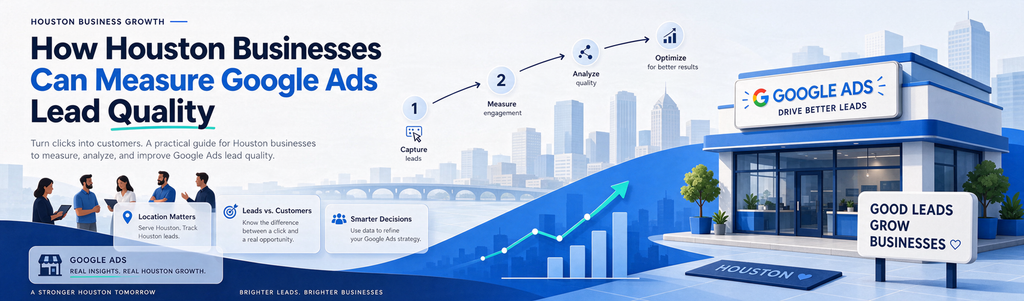
To understand whether your advertising is working, look beyond clicks and total conversions.
Here are some important performance indicators:
| Metric | What It Measures |
|---|---|
| Cost Per Lead (CPL) | Average cost of generating an inquiry |
| Qualified Lead Rate | Percentage of inquiries that meet your criteria |
| Cost Per Qualified Lead | Advertising cost for each qualified opportunity |
| Conversion Rate | Percentage of visitors completing a conversion action |
| Lead-to-Customer Rate | Percentage of leads that become customers |
| Customer Acquisition Cost | Total acquisition cost per new customer |
For example, consider a Houston service business spending $3,000 per month on Google Ads.
It generates 30 inquiries, but only 10 are qualified.
Its cost per inquiry is $100, while its cost per qualified lead is $300.
This distinction is important. A campaign generating 20 additional irrelevant inquiries isn’t necessarily better than one generating 10 qualified opportunities.
The real goal is to improve the quality and profitability of the leads your advertising generates.
9. How Outsource Marketers Can Help Improve Google Ads Lead Quality
If your Google Ads campaigns generate clicks but fail to produce meaningful business opportunities, it’s time to evaluate the complete advertising process.
At Outsource Marketers, our Google Ads management approach focuses on improving campaign relevance, tracking meaningful conversions, and aligning advertising performance with business objectives.
Our services can include:
- Keyword research and search intent analysis.
- Negative keyword management.
- Geographic and audience targeting.
- Campaign structure and ad copy optimization.
- Landing page performance recommendations.
- Conversion tracking and measurement.
- Qualified lead tracking recommendations.
- Ongoing campaign monitoring and reporting.
Whether you operate an HVAC company, roofing business, plumbing service, construction company, or another local service business in Houston, your advertising strategy should attract people who genuinely need what you offer.
Stop focusing only on how many leads your campaigns generate. Start focusing on how many of those leads can become customers.
Explore Outsource Marketers’ Google Ads management services and discuss a campaign strategy built around your business goals.
Frequently Asked Questions
1. Why are my Google Ads generating clicks but no quality leads?
Common reasons include irrelevant keywords, broad location targeting, weak ad messaging, poor landing pages, inaccurate conversion tracking, and a lack of lead qualification.
2. How can I reduce unqualified leads from Google Ads?
Review your search terms, add relevant negative keywords, refine geographic targeting, improve ad messaging, and optimize your landing pages. Track qualified leads rather than counting every interaction as a successful conversion.
3. Are negative keywords important for lead quality?
Yes. Negative keywords help prevent ads from appearing for searches that are irrelevant to your business. They can reduce unwanted traffic and help focus your advertising budget on more relevant searches.
4. Why is Google Ads reporting conversions that don’t become customers?
Your campaigns may be counting low-value actions, such as button clicks or duplicate submissions, as conversions. You should review your conversion setup and connect qualified lead or sales information where possible.
5. What is a good cost per qualified lead in Houston?
There is no universal benchmark. A reasonable cost per qualified lead depends on your industry, service value, competition, conversion rate, and customer acquisition economics.
6. How often should Google Ads campaigns be optimized?
Campaigns should be monitored regularly, with optimization frequency based on budget, traffic volume, and performance. Search terms, conversion tracking, and lead quality should be reviewed consistently.
7. Can CRM integration improve Google Ads lead quality?
CRM integration can help businesses track what happens after an inquiry, identify qualified leads, and share offline conversion outcomes with Google Ads. This provides more meaningful performance feedback.
Final Thoughts
Unqualified leads don’t necessarily mean Google Ads is the wrong advertising channel for your business. In many cases, the problem lies in how campaigns are targeted, measured, and optimized.
For Houston service businesses, improving lead quality requires a complete approach that connects keyword intent, geographic targeting, compelling advertisements, relevant landing pages, accurate conversion tracking, and lead qualification.
Instead of focusing only on generating more inquiries, focus on attracting the right customers.
With the right Google Ads strategy, your advertising can become a more effective source of qualified business opportunities.
Ready to improve your Google Ads lead quality? Contact Outsource Marketers to discuss a smarter PPC strategy for your business.
